
BigIdeasMath.Com Teacher Help
Self-Registration
Short Description: The district contact person will be emailed an access code from Big Ideas Learning. This access code will need to be distributed to teachers.
Visit www.BigIdeasMath.com.
Click Register.
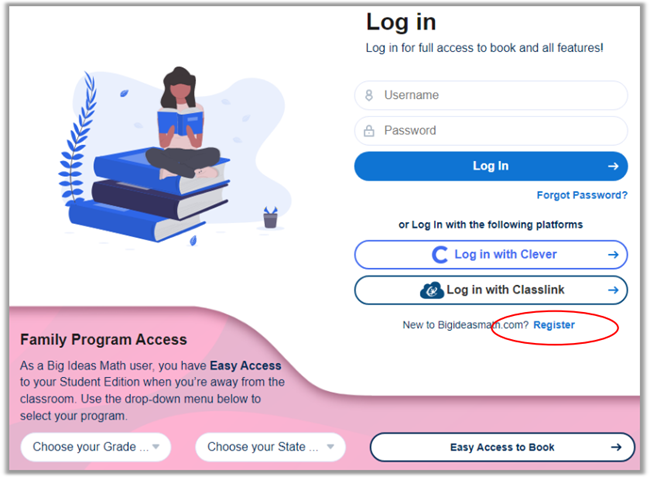
Enter your access code and click Next.
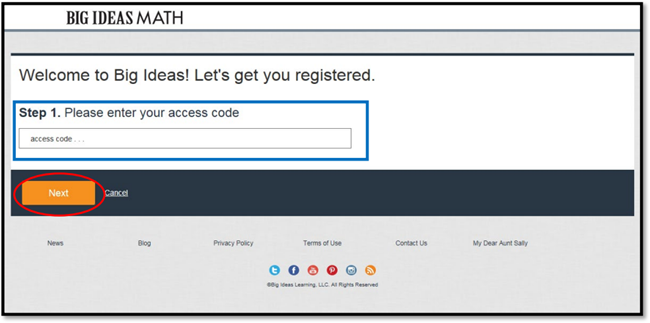
If you do not have an access code, you should contact your district administrator or curriculum coordinator.
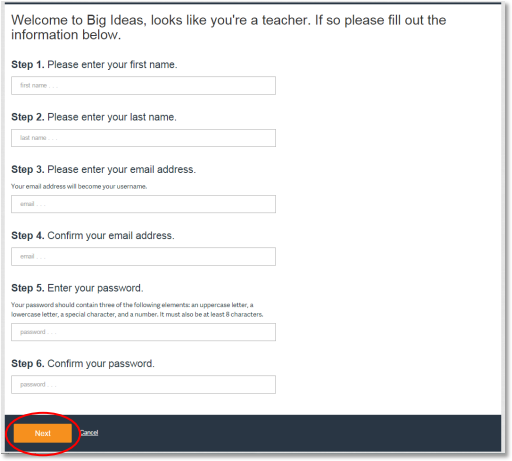
Fill out the required information and click Next.
Choose your school under Available Schools and then click Click to add. This should bring your school over to the right side under Added Schools. Click Next.
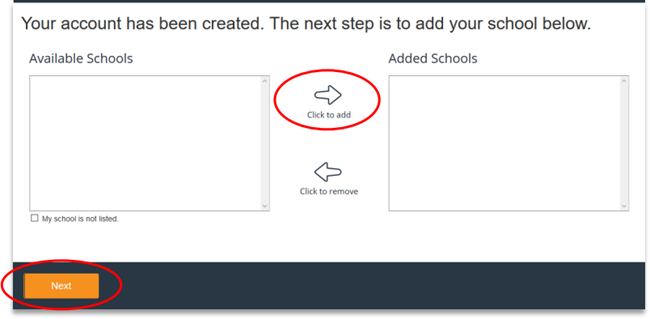
If your school is not listed, you may check the My school is not listed. box and click Next.
You will get a pop-up message that tells you that you are successfully registered. Click Log in.
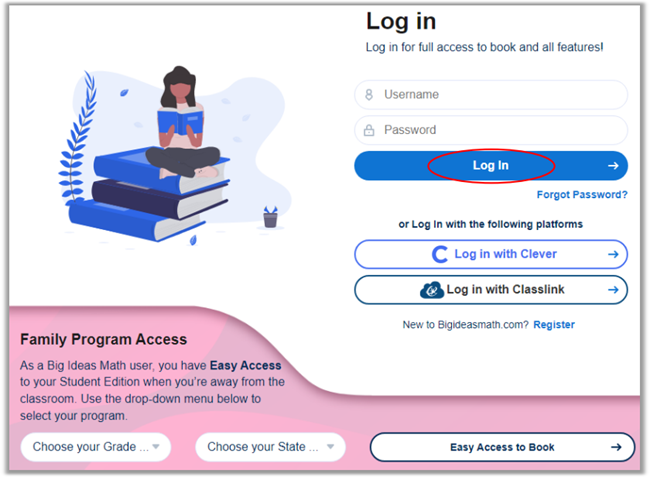
You will be sent to the login screen. Enter your email address/username and password, and click Log In.
The Class Management screen will appear. Click Add Class.
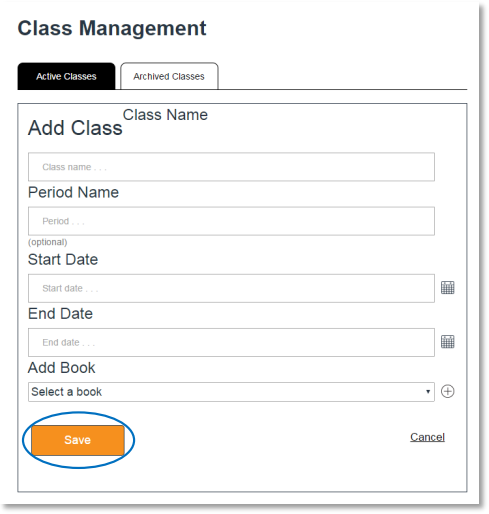
Create a class name, choose a start date, end date, and a book. A period name is optional. Click Save.
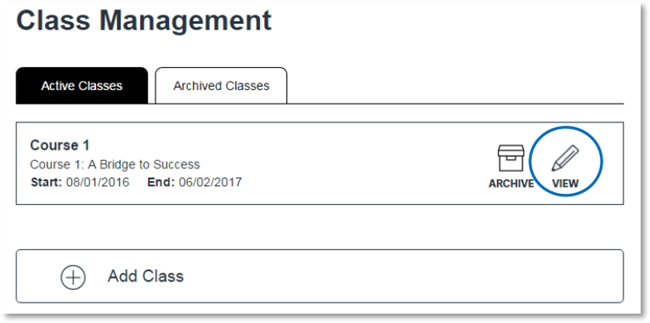
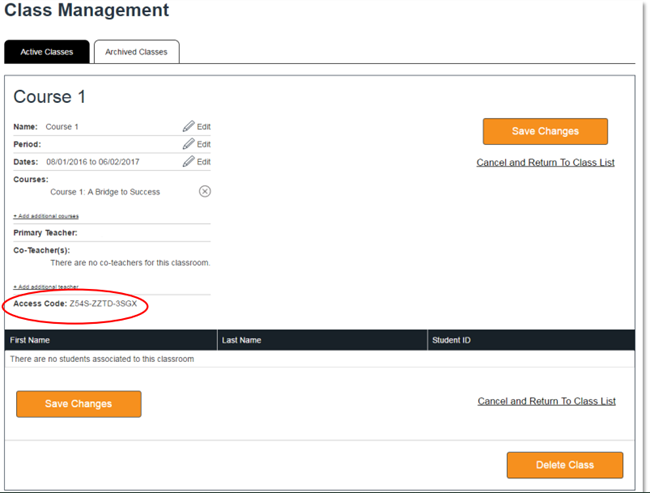
A unique access code will be generated for each class. After you create a class, click View to see the access code. Provide this code to your students.
ClassLink
Short Description: Your district will share teacher and student accounts through your ClassLink connection.