
MyAdaMath Teacher Help
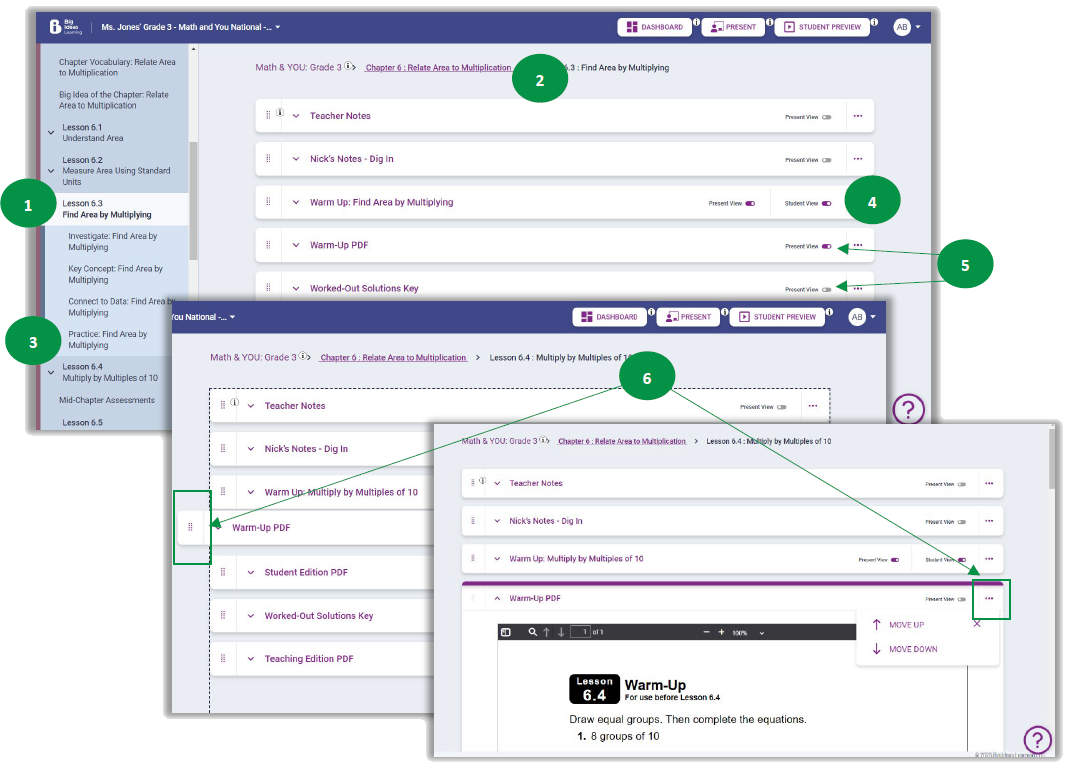
- Choose any chapter and/or lesson from the Learning Path.
- All available content appears in the main view, including digital interactive content and printable PDFs for students as well as all teacher-only resources.
- Practice and Assessments are also available at point of use in the Learning Path.
- Toggle content on or off for students using Student View. This allows the resource to appear as students navigate through content and in the Student Locker.
- Toggle content on or off for facilitating lessons using Present View. This allows content to appear as a slide while in full-screen teaching mode.
- Customize the sequence of content by dragging and dropping collapsed content into different orders or using the three dots and selecting Move Up or Move Down.