
MyAdaMath Teacher Help
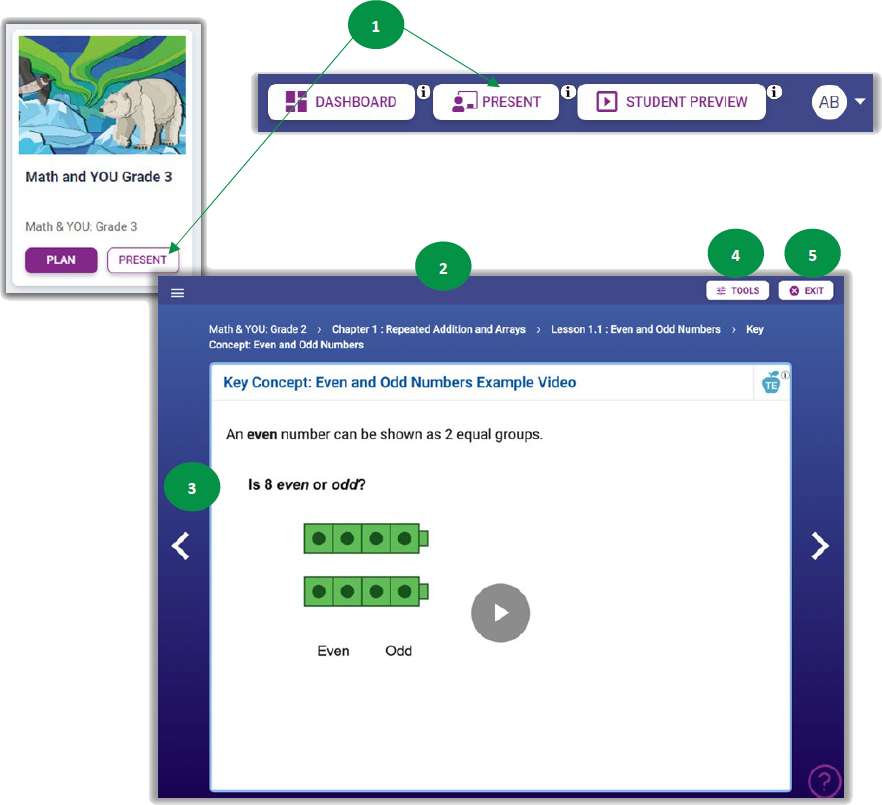
- Select Present from one of your classes on the Courses tab, or if already in Plan mode, select Present from the navigation bar.
- Lesson content opens in full screen mode.
- Use the left and right arrows to progress through content that you toggled on during your planning.
- Tools offer interactive manipulatives, Math Tool Paper, and Graphic Organizers to further support student learning.
- Select Exit in the top right corner to close Present mode and go back to Plan mode.