The Student Locker allows students to view and navigate their assignments as well as various components of their Learning Path.
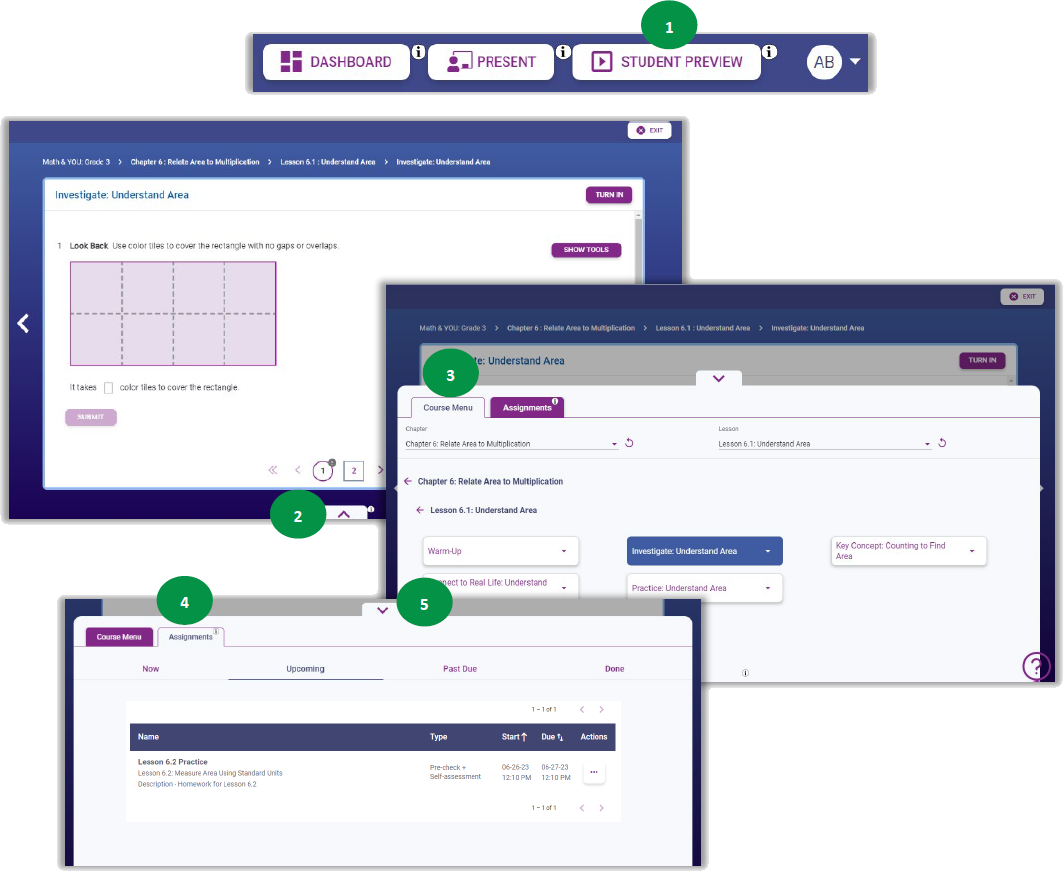
- Open the Student Preview.
- Click the up arrow to open the Student Locker.
- Course Menu tab shows students the current chapter and lesson and any corresponding Learning Path resources turned on by the teacher.
- Assignments tab shows students all their current, upcoming, overdue, and completed assignments.
- Click the down arrow to close the Student Locker.