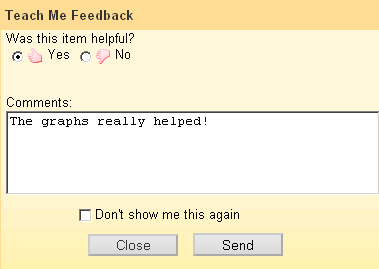
After viewing a tutorial, you can rate it as helpful or not. Rating tutorial
resources is optional, but the aggregate ratings are displayed on the Personal Study
Plan Tutorial page and can help other students know which tutorials they should
use.
Before you can rate tutorials for a Personal Study
Plan®, you must have viewed at least
one of the plan's tutorials.Your ratings of tutorial resources are not shared with your instructor, and are not
displayed individually to your fellow students. Instead, they are aggregated with
other
students' ratings. You can rate each tutorial only once.
View a tutorial. When you are finished, close the tutorial.
Unless you have previously rated a tutorial and selected
Don't show me this again, a feedback window is displayed.
If the feedback window is not displayed, click Rate This on
the Personal Study Plan Tutorial page for the tutorial you want to
rate.
Rate This is not displayed for tutorials that you have already
rated.
In the feedback window, rate the tutorial and optionally add a comment.
If the tutorial was helpful, select Yes.
If the tutorial was not helpful, select No.
If you do not want to see the feedback window when you close Personal Study
Plan
tutorials in the future, select Don't show me this again.