To add a class, please follow these steps:
-
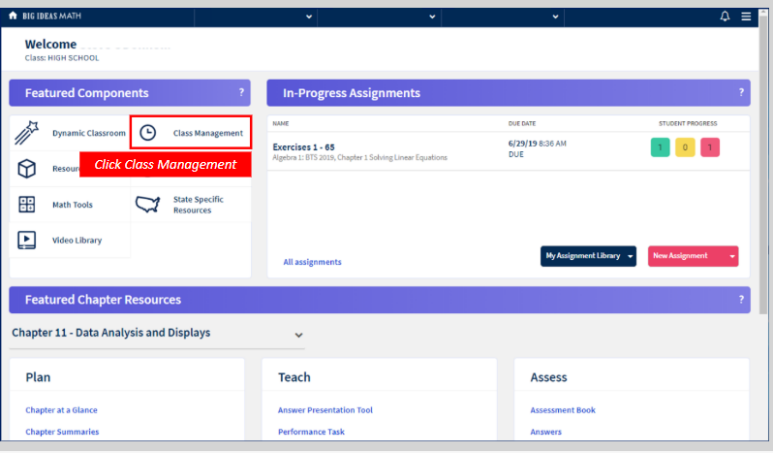
Go to Class Management from the teacher dashboard or the site menu.
-
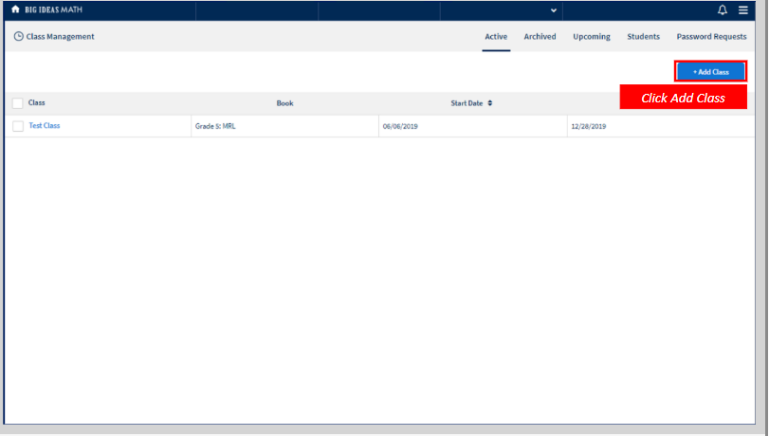
Click + Add Class.
-
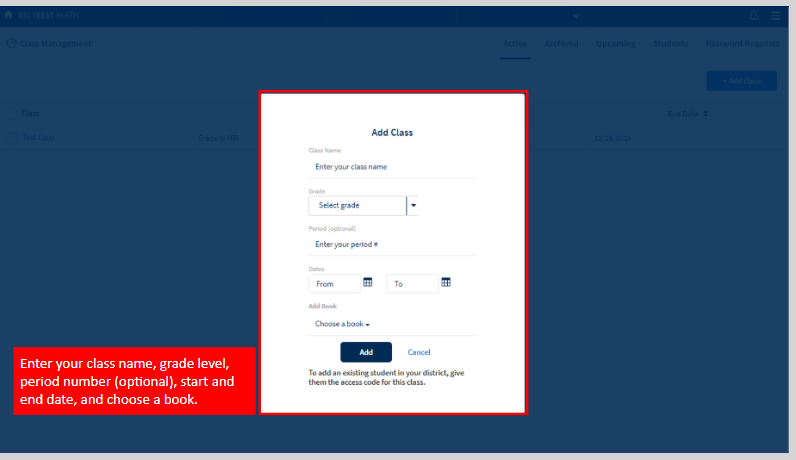
Enter your class name, grade level, period number (optional), start and end
date, and choose a book.
-
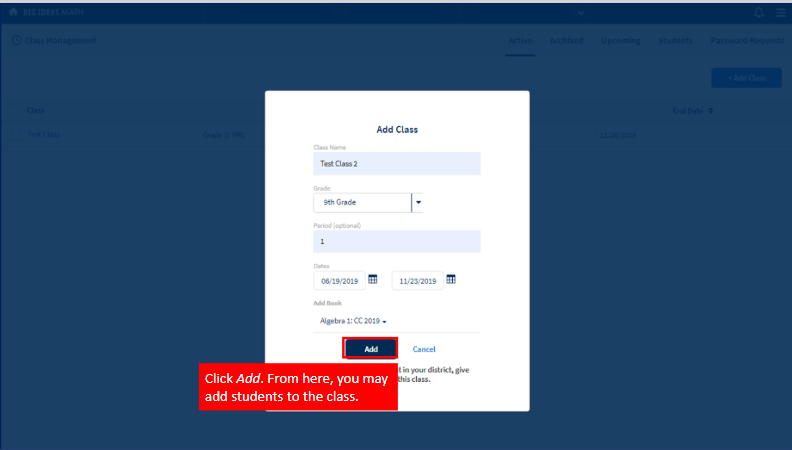
Click Add. From here, you may add students to the
class.