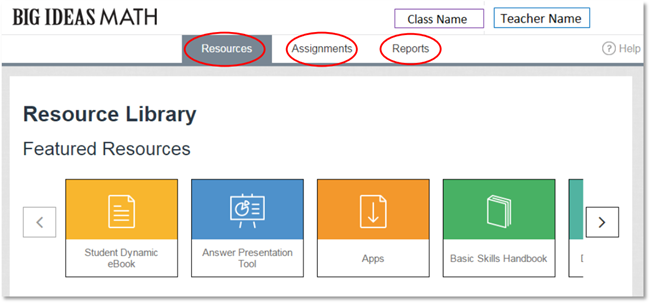
Once logged in as a teacher, you will see the page displayed below.
The page header includes two pieces of information: a selected class and your (the teacher’s) name. When you are using Big Ideas Math as a teacher, the class dropdown will show the classes you are teaching. If you click on your name, you will be able to access the Class Management page where you can see class rosters and add or remove books to your classes.
The main navigation for the website includes three tabs: Resources, Assignments, and Reports.