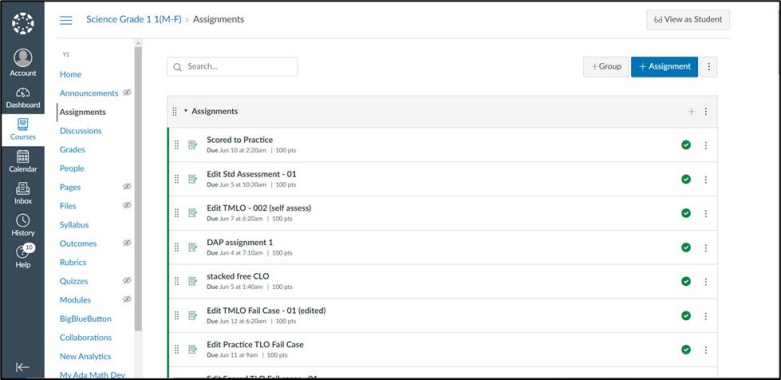
If the assignment fails to sync with the LMS, the teacher can manually sync it from
two places:
- Plan Mode
- Dashboard
Plan Mode
-
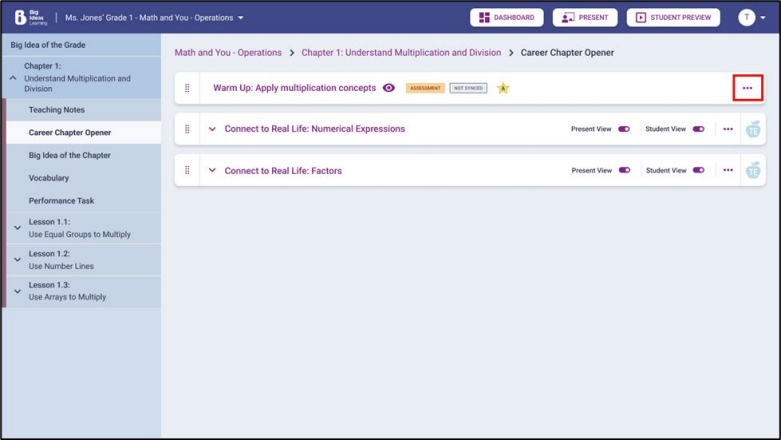
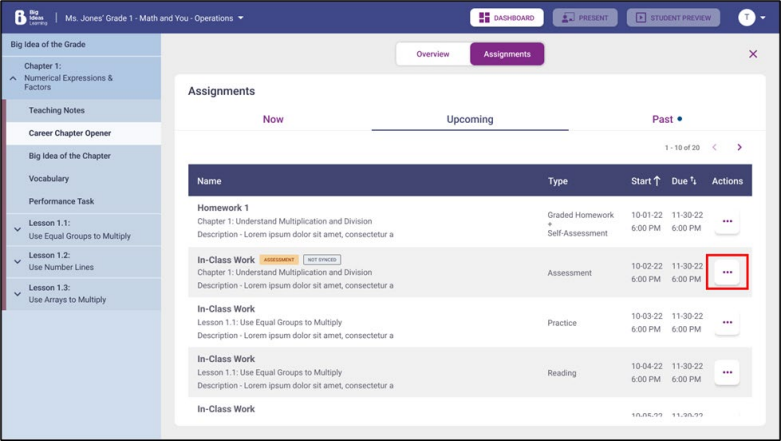
If the assignment is still not synced with the LMS, a NOT
SYNCED label will appear. The teacher can manually try syncing
via the three-dot menu.
-
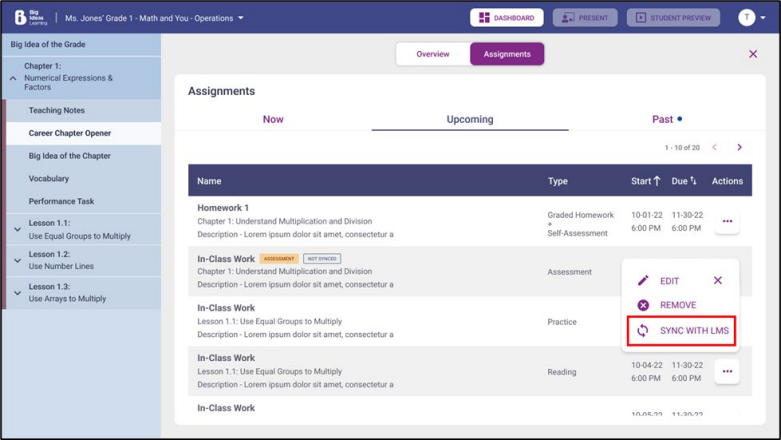
On selecting Sync with LMS, the system will try
syncing the assignment with the LMS.
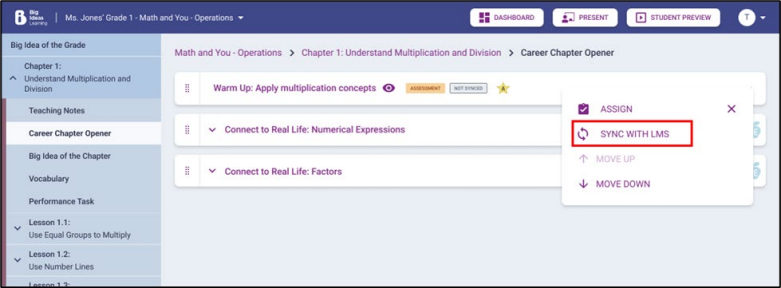
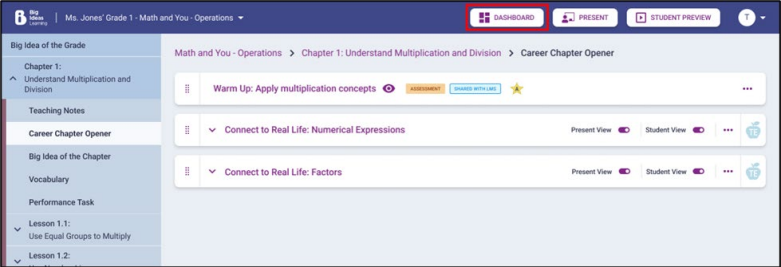
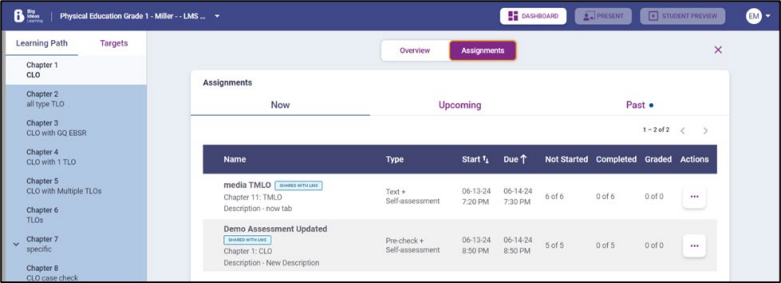
If the sync is successful, label will become SHARED WITH LMS or else it will remain NOT SYNCED.
Dashboard
-
Assignments that have not synced properly with the LMS will also be visible
from the Assignments tab on the Dashboard.
-
The teacher will have the option to try syncing the assessment manually
from the three-dot menu.
-
On selecting Sync with LMS, the system will try
syncing the assignment with the LMS.
-
Once the assignment is successfully shared with the LMS, a SHARED
WITH LMS label will appear next to the assignment.
-
Once the assignment is synced successfully, it will be visible on the
LMS.