-
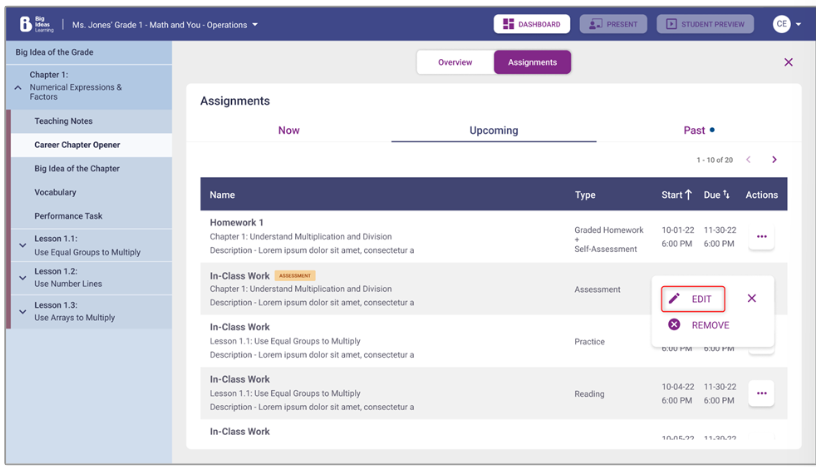
Click on the three dots next to the assignment under Actions, then click
Edit.
Note Assignments in the Now and Past tabs cannot be edited.
-
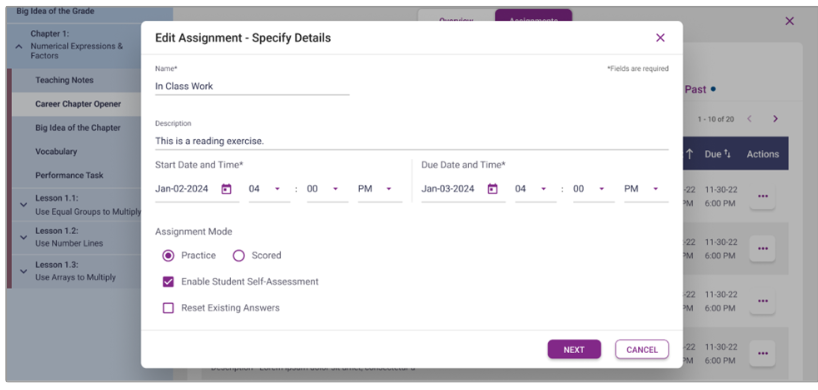
Edit the assignment details in the Specify Details step. All fields will be
editable.
-
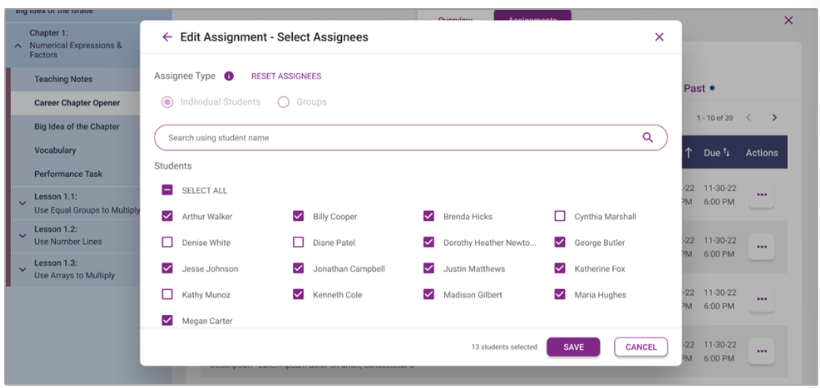
Add, remove or reset the assignees in the Select Assignees step. The assignee
type will default to Individual Students and cannot be changed to Groups.