
SAM In MindTap Instructor Help
To open the gradebook, click
 › Gradebook.
Click a student's activity score.
If there is no score, click the double dashes (--).
Information about the student's submissions and scores for the activity displays.
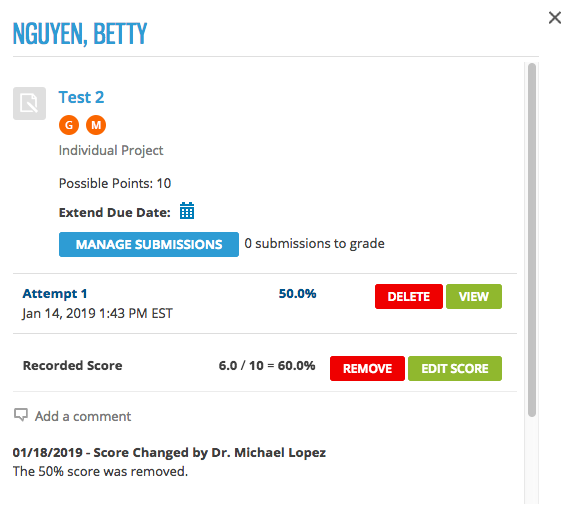
Click Delete beside the attempt you want to delete.
When prompted, click Confirm.
- The deleted attempt is indicated with a comment and strikethrough text, but cannot be viewed.
- The recorded score is updated based on the assignment scoring strategy.
- Your student might be allowed to make another attempt if the due date has not passed.