
SAM In MindTap Instructor Help
To open the gradebook, click
 › Gradebook.
Click a student's activity score.
If there is no score, click the double dashes (--).
Information about the student's submissions and scores for the activity displays.
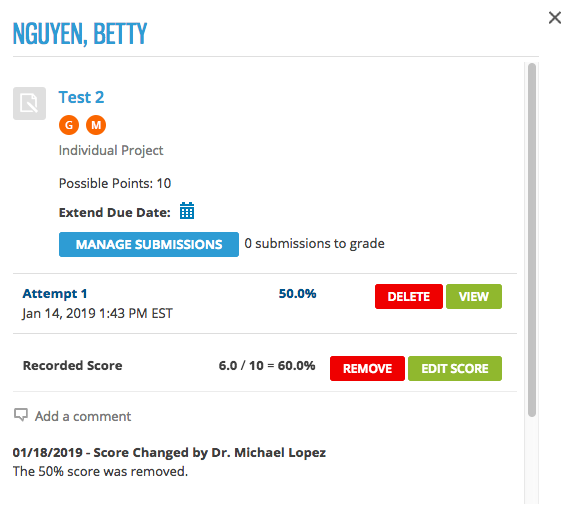
To view your student's answers for an attempt, click View or Grade.
In some activities, the take displays along with a class roster and activity details so you can view the activity for your entire class in a single view. In others, the take displays in a separate window.