In this article, you'll find answers to frequently asked questions about Visible Body Courseware's LMS integrations.
The article covers:
- the types of integrations we have for the types of purchases being made
- how to access and manage your VB Courseware integrated courses
- how to add instructors to your VB Courseware integrated courses
- linking Courseware assignments to your LMS integration
What LMS integrations does Visible Body Courseware support?
Visible Body Courseware integrates the following learning management systems (LMS):
- Canvas
- Site License customers: SSO and grade return (1.1 and 1.3)
- Adoption customers: SSO and grade return (1.1 and 1.3)
- Blackboard Ultra and Learn
- Site License customers: SSO and grade return (1.3)
- Adoption customers: SSO (1.1)
- Schoology
- Site License customers: SSO and grade return (1.3)
- Adoption customers: SSO and grade return (1.3)
- D2L
- Site License customers: SSO and grade return (1.3)
- Adoption customers: SSO and grade return (1.3)
- Moodle
- Site License customers: SSO and grade return (1.3)
- Adoption customers: SSO and grade return (1.3)
What are the features of the Visible Body Courseware 1.3 LMS integrations?
Our 1.3 integration features single sign on as well as a Courseware Home and a Courseware Assignment Library! The Courseware Home allows for a hub of helpful information and resources to be added directly into your LMS course, including direct Visible Body Suite app access. The Assignment Library allows for you to seamlessly link any Courseware assignments into your LMS, including grade return.
Do I have to use every feature of the VB Courseware 1.3 integration?
No, you can opt out of using either the Courseware Home or the Assignment Library.
How do students access Courseware through an LMS?
Once a Courseware course is integrated with an LMS course, students will see Courseware either in the left menu or within their assignments. Selecting either for the first time gives students access. Instructors can share this article with students for step by step instructions.
How do co-instructors get access to an LMS integrated Courseware course?
Any instructor for a course that is integrated with an LMS will be added to the Courseware course as an instructor. Co-instructors will be added to the Visible Body course when they access linked materials, so long as they already have a Visible Body account. You will not have to send any invite links.
Do instructors manage a Courseware integrated course through their LMS or directly through Courseware?
We recommend using your LMS.
Do students access a Courseware integrated course through their LMS or directly through Courseware?
If you are a student in a course that has a Courseware integration, you should access assignments through that integration and use the LMS gradebook.
Can I link assignments from the same Courseware course to multiple LMS courses?
No. Courseware’s LTI 1.3 integration is set up with a 1:1 relationship between your LMS course and your Courseware course.
Can I have multiple LMS integrated Courseware courses?
Yes. Using Courseware’s LTI 1.3 integrations, you can set up multiple courses with integrations between an LMS and a Courseware course.
- Manage individual integrations within your LMS “Manage Sync Options” found in the Course Home and Assignment Library.
- View your integrations on the Courseware LMS integration page.
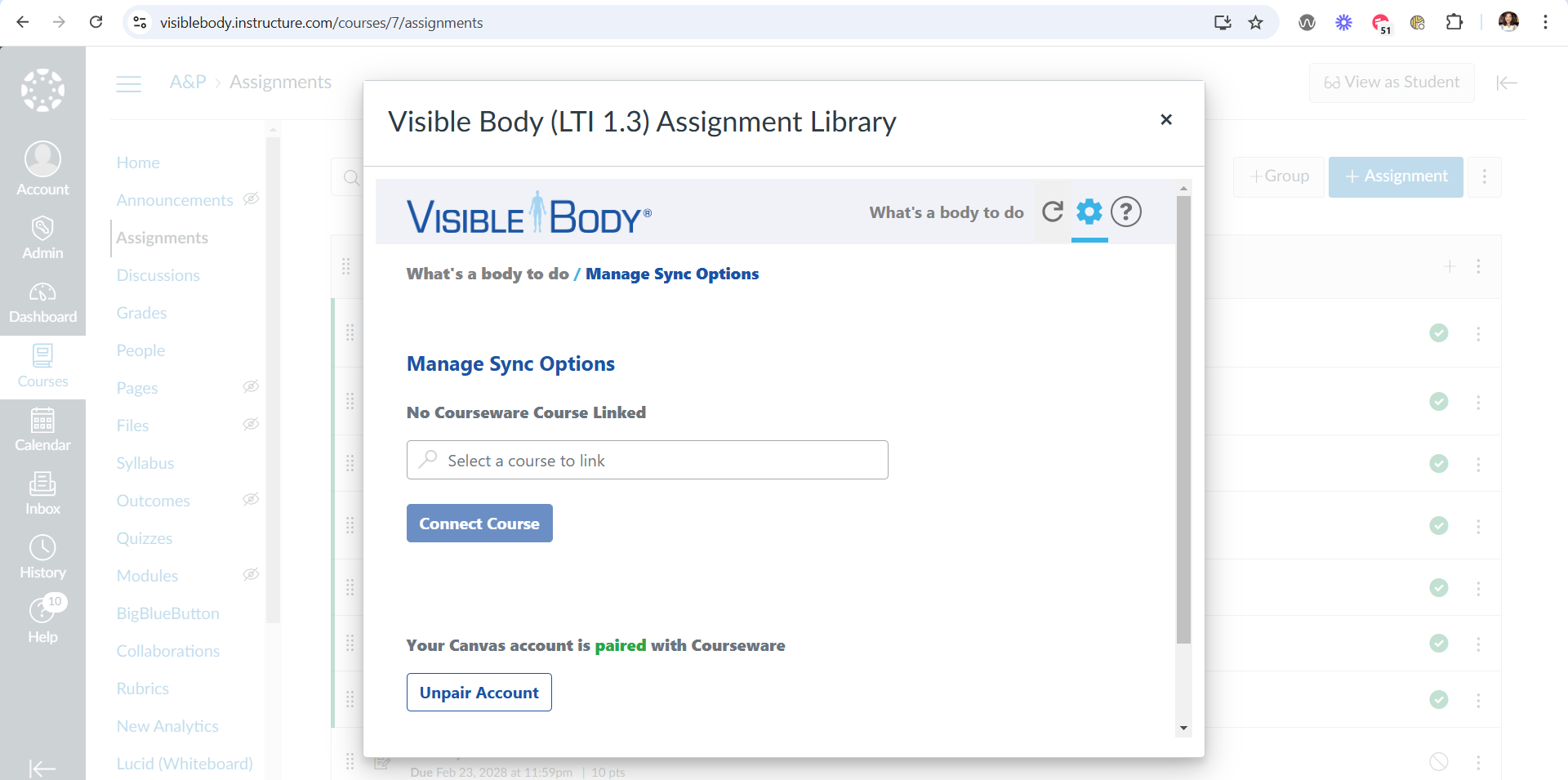
Can I link a Courseware course to different LMSs?
Yes. Courseware’s LTI 1.3 integration supports integrating a Courseware course with more than one LMS course and these can be distinct LMSs. You can link as many LMSs to different Courseware courses as you want! You can view your integrations on the Courseware LMS integration page.
Do I have to update my Courseware Blackboard LTI 1.1 integration? Do I have to update my Courseware Canvas lite or deep LTI 1.1 integration?
You don't have to, but we recommend it. The keeper of the LTI specification, 1Edtech, has deprecated version 1.1. That means it is functional but not recommended since a newer improved version is out. If you are interested in updating to our 1.3 integration, your VB education sales team member can provide details.