On Math & YOU, assessments are provided at point of use in the Learning Path, making it easy to develop assessments and assign them all at the same time. All assessments also come with a practice version to help students prepare for the assessment.
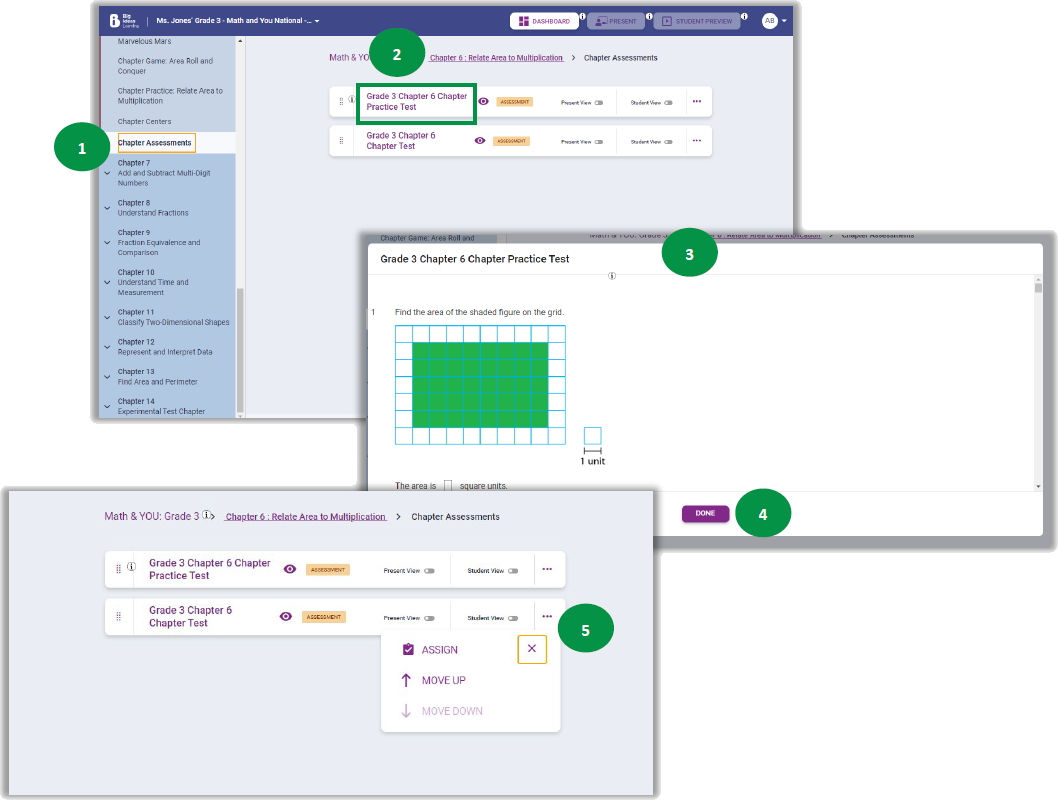
- From Plan mode, use the Learning Path to find the Mid-Chapter or Chapter Assessments.
- Select the assessment name.
- Scroll through the questions to preview the assessment and the correct answers.
- Click Done when finished.
- Assign the assessment by selecting the three dots, the same way you assign any content. (See Assigning Content.)