
Access Resources

Access additional resources such companion sites and Cognero test generator.

How-toTeacher HelpNGLSync

You must create a course before you can view course resources.

  1. If needed, sign in to NGLSync at nglsync.cengage.com.

  2. Click Course Resources under your course name.
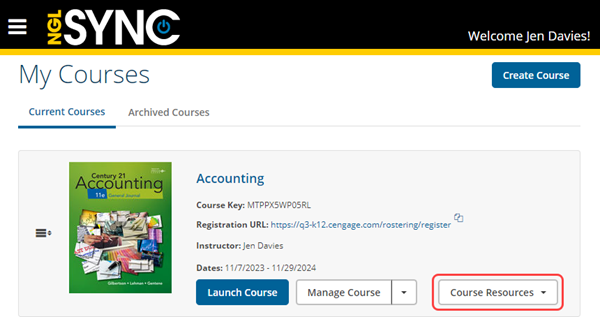
    NGLSync portal with a course tile for Honors Chemistry. The course has three buttons: More Details, Launch Course, and Course Resources on the far right.

    The resources for your course are listed.

  3. Click a resource link to open it in a new tab.