
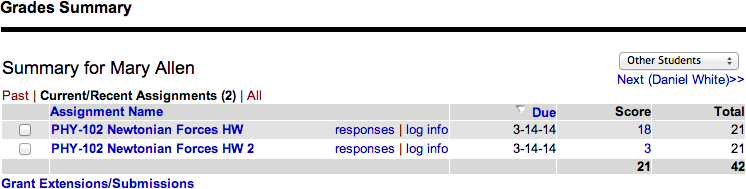
Assignment Name | The name of the assignment, with links to view the student's answers and an activity log. |
Due | The assignment due date. |
Score | |
Total | The total points that can be earned for the assignment. |
- A red asterisk (*) beside a score indicates the score has been changed by the instructor.
- A red asterisk beside the due date indicates an extension was granted.
- An answer key icon (
 ) beside a score indicates the student has seen the answer key for the whole assignment per your assignment settings.
 - The last row of the table summarizes the student's earned points and the available points for all assignments that are shown.
Actions
You can perform a number of activities from the Grades Summary page.
See other assignments | At the top of the table, click Past, Current/Recent, or All. | |
See other students | At the top of the table:
| |
See your student's answers for an assignment | Click the assignment name or responses. | |
See a log of your student's activity for the assignment | Click log info. | |
Give your student more time or submissions to complete assignments |
|