
The following table describes the Marvin JS drawing modes that are available in WebAssign:
Drawing Mode | Display | Hydrogens | Atom Labels | Usage / Notes |
|---|---|---|---|---|
Complete | 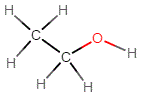 | Explicit | All atoms | Draw the entire molecular structure, including hydrogens. |
Condensed | 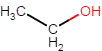 | Implicit | Especially for organic chemistry, draw the molecular structure except for hydrogens. | |
Lewis | 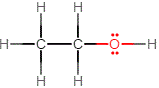 | Draw Lewis structures.
| ||
Mechanism |  | Draw reaction mechanisms showing the movement of electrons.
| ||
Mechanism Advanced | 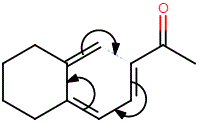 | H: only for heteroatoms C: no Other atoms: yes | Draw reaction mechanisms showing the movement of electrons. | |
Reaction | 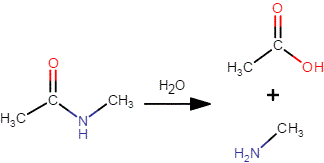 | Draw chemical reactions. Displays molecules like condensed mode, but lets you add a reaction arrow and + signs among the reactants and the products. | ||
Reaction Advanced | 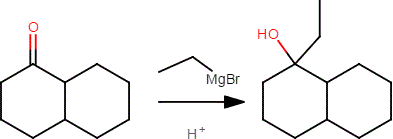 | |||
Resonance | 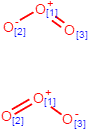 | Draw resonance structures.
| ||
Skeleton |  | Draw complex organic molecules. | ||
Skeleton Advanced | 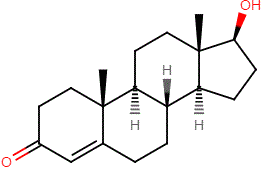 | Draw complex organic molecules. | ||
Spacefill | 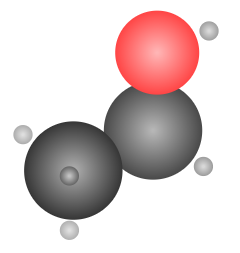 | None | Can be rotated in three dimensions. | |
3D | 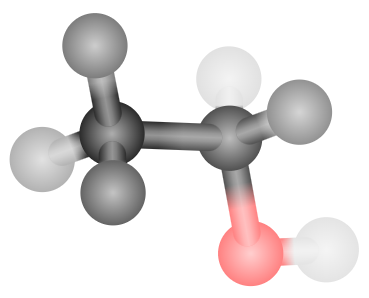 | Can be rotated in three dimensions. |
Advanced Modes
Use the three advanced modes to show additional tools for your students in higher-level chemistry courses.