
- Tools that are available only for certain types of Marvin JS questions are indicated with Some questions: If a tool is not displayed, you are not expected to use it to answer the question.
Some tools can be expanded so you can select among options for the tool.
Click and hold the tool to expand it, and then click the option you want to use.
Atoms and Bonds
Task | Steps |
|---|---|
Add an atom of one of the following elements: H, C, N, O, S, F, P, Cl, Br, I |
|
Add any atom |
|
Add an atom list or not list |
|
Add an atom and its bond to an existing atom |
|
Add two bonded carbon atoms |
|
Add a chain of carbon atoms |
|
Some questions: Add an R-group |
|
Replace an atom |
|
Change an Atom |
|
Add a bond between existing atoms |
|
Change a bond type or direction |
|
Increase or decrease an atom's charge |
|
Some questions: Add radicals or lone pairs to an atom |
|
Some questions: Draw a curved harpoon to show the movement of electrons |
|


Reactions
Some questions: Add a reaction arrow |
|
Some questions: Add a + sign in a reaction |
When adding a + sign, it does not matter what kind of reaction arrow is selected. |
Some questions: Add agent names to a reaction arrow | In WebAssign Marvin JS questions, use psuedo-atoms to specify agent names above reaction arrows.
|
Set a mapping number for an atom |
|

Select and Edit
Select a single item |
|
Select an entire structure |
|
Select multiple items |
|
Select items in a rectangular region |
|
Select items in an arbitrary region |
|
Cut, copy, paste | Click |
Delete items | Either:
|
Move an item or selected items |
|
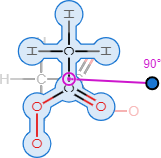
Rotate items in 2 dimensions |
|
Standardize bond lengths and angles (2-dimensional) | Click This improves the appearance of your drawing and converts it to 2-dimensional if needed. |
Some questions: Standardize bond lengths and angles (3-dimensional) | Click This improves the appearance of your drawing and converts it to 3-dimensional if needed. |




Undo
Undo your last change | Click |
Clear the drawing area | Click |
Some questions: Reset the drawing to its initial state (discard all your changes) | Click |


Zoom and Rotate View
Zoom in or out |
|
Zoom to drawing |
|
Zoom to selection |
|
Some questions: Rotate drawing in 3 dimensions |
|


