

Spark Student Help
Click the Gradebook tab in Spark.
For each course, you can see:
- Average score
- Percentage of assigned work completed
- Percentage of unassigned work completed
- The total time you spent on all practice activities, assignments, and tests

Scroll to the course you want and click View.
Use the All assigned & unassigned work, All assigned work, and Tests only tabs to view the specific results you want.
Click
 next to the activity, assignment, or test that you want.
Click View to see your grade on the individual activity, assignment, or test.
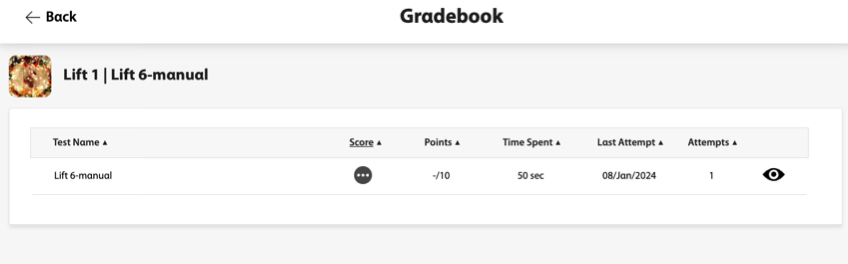
Click
 to review your answers.