September 30: Cengage eReader Redesign

The redesigned Cengage eReader, coming September 30, delivers a modern, responsive, and accessible reading experience across all devices. This update introduces performance enhancements, improved usability, and expanded accessibility features to support learning anytime, anywhere.

GuideStudent HelpOWLv2

Video walkthrough

Video walkthrough 1

Watch this tutorial without leaving the article.

eReader Updates

With this update, readers can:

  • Access their bookmarks and recently visited pages from the table of contents
  • Change text font and size
  • Print notes and highlights
  • Customize the Read Aloud voice and speed
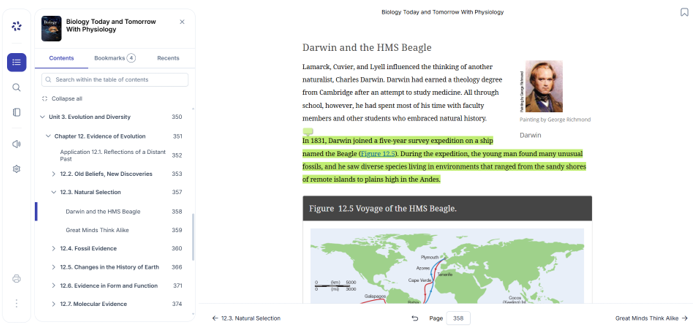
New eReader with white table of contents showing eBook contents, user bookmarks, and recently viewed pages. Search, Notebook, ReadAloud, and Settings are shown in the new toolbar on the left side. Bookmarks can be added in the upper right corner.
New eReader
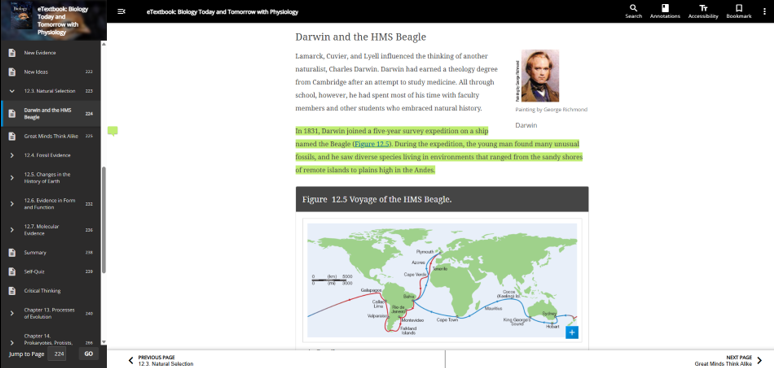
Old eReader has a black table of contents and header. The table of contents only shows eBook contents. Search, Annotations, Accessibility, and Bookmarks are in the top menu.
Old eReader