
Uploaded files must meet the requirements in File Restrictions.
In the Uploaded Files section of the Show My Work question part, click
 Upload File.
A file browser window opens.
Select the file that you want to upload.
Depending on your browser, click either Open or Choose.
The file you uploaded is displayed in the Uploaded Files list.
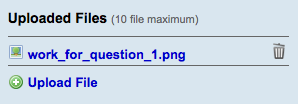
You can open or remove a file that you uploaded.
- To open a file, click its name in the Uploaded Files list. Depending on your browser settings, you might be prompted to save the file or to open it with another application on your computer.
- To remove a file, click
 , and then click OK to confirm that you want to remove it.