WebAssign Instructor Help
- Sign In / Account
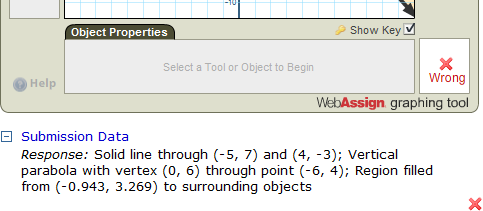
First, you can select Show Key in order to turn the answer key on and off. This allows you to see a student's answer so you can better understand why it was marked as incorrect. For example, you will be able to see if the student answered using a segment instead of a line.
Second, you can view a detailed, written summary of a student's answer. You can do this by expanding the Submission Data section located below the graphing tool.