

Spark Instructor Help
The Online Placement Test determines a student's current English proficiency level, so they can be placed in the most suitable class to help them progress. It should not be used to evaluate what students have learned.
Click Assignments in Spark.
Click New Assignment.
Click
 Add course to select resources.
Select OPT from the dropdown menu.
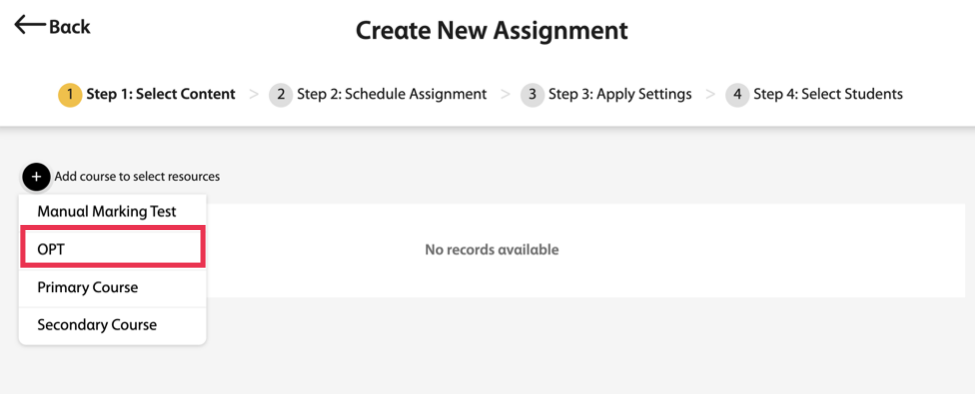
Turn on OPT
 .
.Click Next in the bottom-right of the page.
Enter the assignment’s basic information.
- Name
Assignment title
- Start Date and Time
When students can first access the assignment
- End Date and Times
When the assignment is due
- No dates
Optional: Students can access the assignment at anytime throughout the course.
- Notes
Optional: Additional instructions for your students
Click Next in the bottom-right of the page.
Select the students who should complete the Online Placement Test. You can select:
- All students who are currently enrolled in the course
- Assign to all students, including students that join the course later
- Individual students
Click Assign to save your new assignment.