

Spark Instructor Help
Optional Click the language selector menu
 in the upper-right corner to select your preferred language.
Sign in at learn.eltngl.com.
Click Sign in.
Enter your Username and Password.
Click Sign in.
Sign in for the First Time
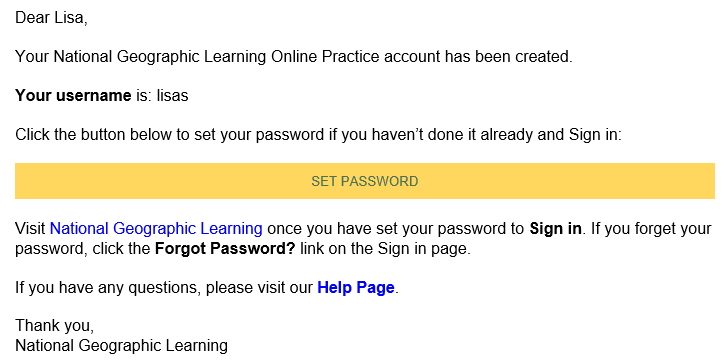
If your co-instructor or school administrator created your account for you, you might receive an email from Spark with a link to create a password. Use this link to sign in for the first time.
Open the welcome email and click Set Password.
Your Spark account opens in a new window.
Enter your password in New password.
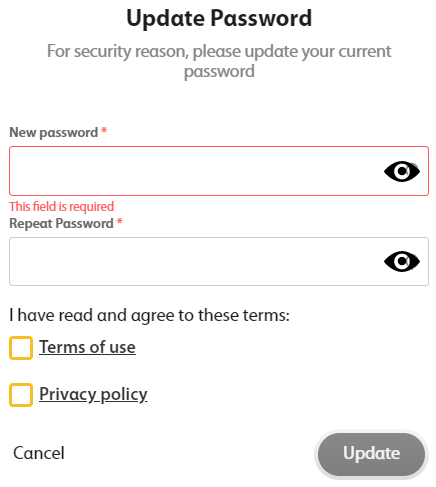
Repeat your password in Repeat password.
Read and accept the Terms of use and Privacy policy.
Click Update.
You are signed in to Spark.