

Spark Instructor Help
Teacher resources are downloadable course materials that support National Geographic Learning programs. These resources were previously found on Companion Sites.
From the Class Content Tab
In the Class Content tab, select the course you want from the courses dropdown menu.
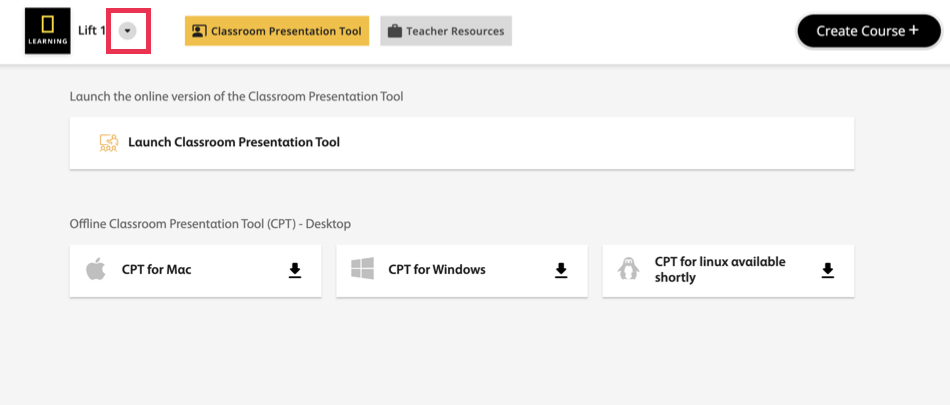
Click Teacher Resources.
From the Courses Tab
Click Courses in Spark.
Scroll to the course you want and click the name.
Click Teacher Resources in the left menu.
Download Teacher Resources
Short Description: After you access teacher resources, you can:
- Use the search bar to find a specific resource.
- Filter your search using the Filter by resource type dropdown menu.
- Click
 to download the resource.
 - Click Download All to download all resources.
- Click
 to open the resource in a new browser tab.