

Spark Instructor Help
Copying an assignment enables you to create an assignment at any time during the course and add it to your other courses.
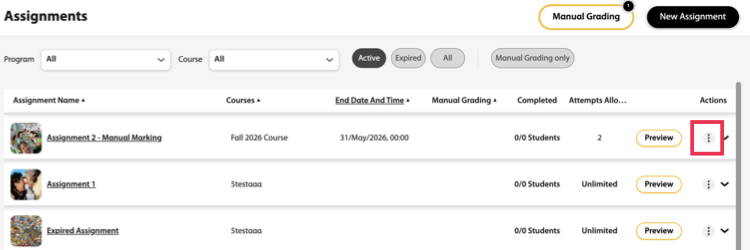
Click Assignments in Spark.
Scroll to the assignment you want to copy.
Click
 .
.
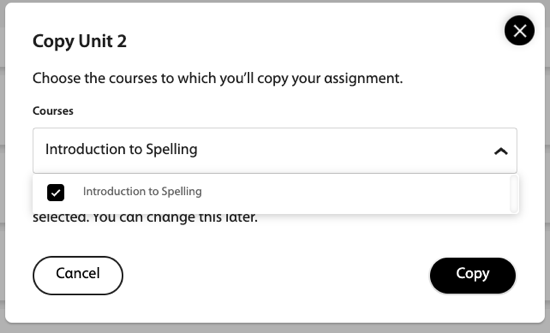
From the Courses dropdown menu, select the course you want to copy the assignment to.
Click Copy.
The copied assignment appears in the assignment list and is indicated by
 .
.