

Spark School Administrator Help
You can view and manage your courses on the Course Management tab.
The following information is shown for each course:
- Course name
- Course key
- Created on
- Instructors
- Instructor Copy
- Students
- Start date
- End date
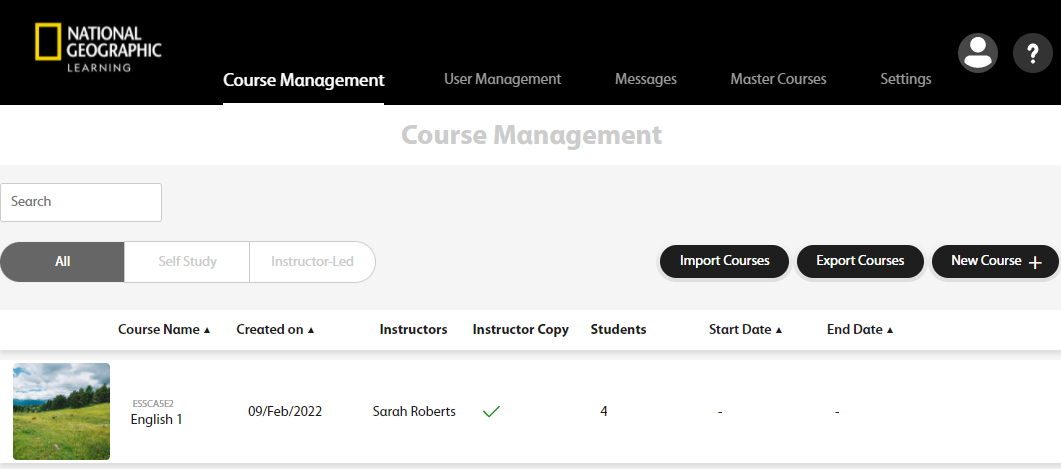
Hover over the course and the course area will be highlighted in yellow.

When the course is highlighted, you can:
- Click the course key on top of the course name to copy it and easily share it with instructors.
- Click
 to download instructions to help your students to self-register.
 - Click
 to remove a course.
 - Click
 to edit the course.
 - Click
 to download a report of the grades of all students in a course.