

Spark Instructor Help
The self-registration guide for each course contains:
- A link students can use to enroll directly in your course without a course key
- Information on how to sign in or create a new account
- A link to the Spark Student Help
- Your name
- An optional note from you
Click Courses in Spark.
Scroll to the course you want and under the Actions column, click
 .
.Click Registration Guide.
The Registration Guide for your course opens.
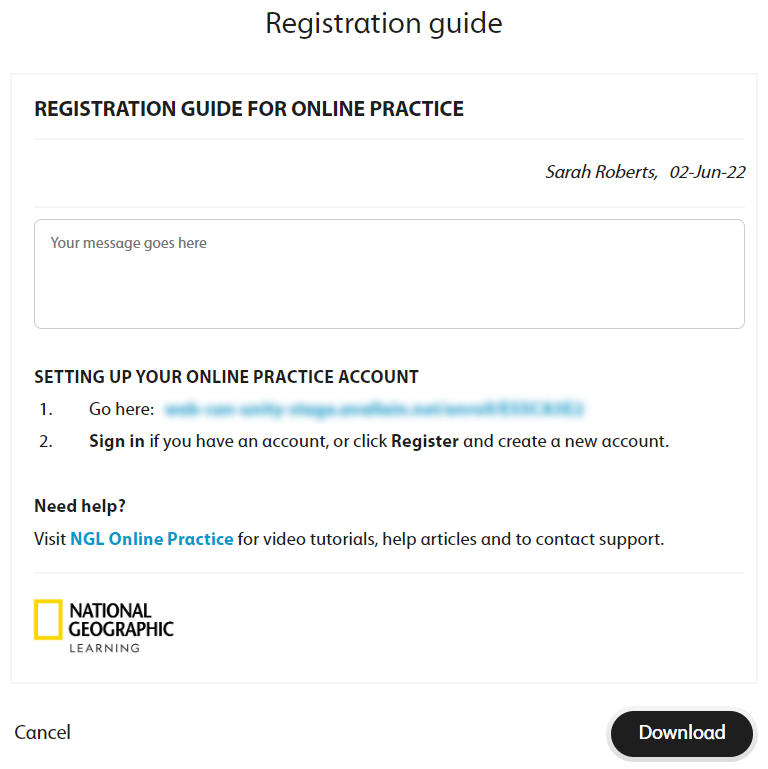
Optional Add a note for your students.
Click Download.
The following message displays.

A message will alert you when your report is ready to download.
Click Messages in the top navigation bar.
Click the News tab, then click the file link to download the self-registration guide.

Give the self-registration guide to your students so they can join your course.