

Spark Student Help
Your instructor may have given you a course key or a self-registration guide with a course-specific link. If you do not have either of these, ask your instructor.
I Have a Self-Registration Guide or Link
Click the link provided in your self-registration guide.
If prompted, enter your Access Code.
Find your access code
- In your book or printed access card
Open the front cover of your book or get your printed access card. Scratch off the coating.
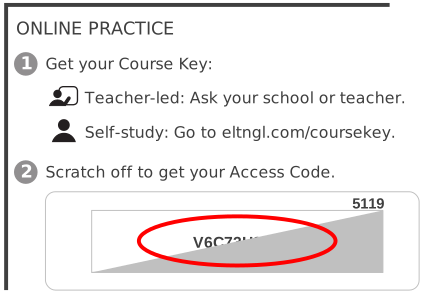
- Online access code
You might also be able to purchase an online access code.
- From your teacher
For some courses, your teacher will give you an access code.
Sign in using your existing Spark account.
Click Sign in.
Enter your Username and Password.
Click Sign in.
I Have a Course Key
Sign in at learn.eltngl.com.
Click Sign in.
Enter your Username and Password.
Click Sign in.
Click the Courses tab in Spark.
Click Join a course.
In the Course key field, enter your course key.
Get the course key from your teacher.
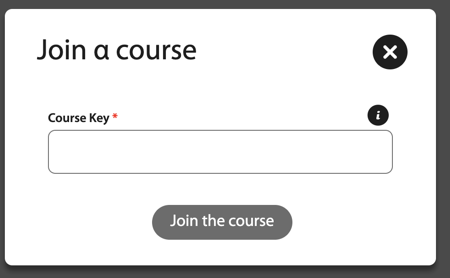
If prompted, enter your Access Code.
This step is skipped if you do not need to enter an access code.
Find your access code
- In your book or printed access card
Open the front cover of your book or get your printed access card. Scratch off the coating.
- Online access code
You might also be able to purchase an online access code.
- From your teacher
For some courses, your teacher will give you an access code.
Click Join the course.
My Instructor Added Me to a Course
If your instructor added you to a course and you are required to enter an access code, you will be prompted to do so when you sign in to Spark.
Sign in to Spark.
Enter your access code when prompted.
Click Join.
I Did Not Enter My Access Code When Prompted
Follow these steps if you were prompted to enter an access code when you signed in to Spark but you closed the prompt.
Sign in to Spark.
Click the Courses tab.
Navigate to your course and click Enter Access Code.
Enter your access code.
Click Join.