

Spark Instructor Help
Click Messages in Spark.
Messages you have received display in the Inbox tab.
Messages you have sent display in the Sent tab.
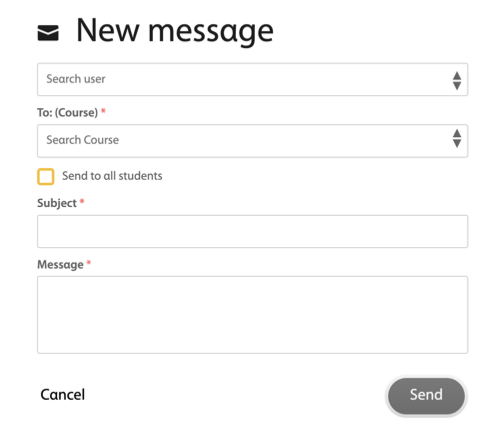
To sent a message, click Send Message +.
Optional In the Search user field, select the student or students you want to message.
In the To: (Course) field, select the course you want.
Optional Select the Send to all students check box to messages all the students in that course.
In the Subject field, write the subject of your message.
In the Message field, write your message.
Click Send.
Optional To check for news from your institution, click the News tab.