

Spark Instructor Help
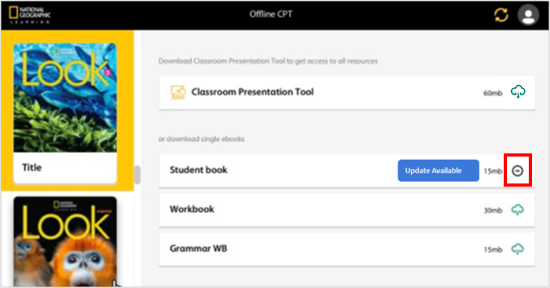
When an updated version of the CPT is available, a blue Update Available icon will display next to the downloaded content.
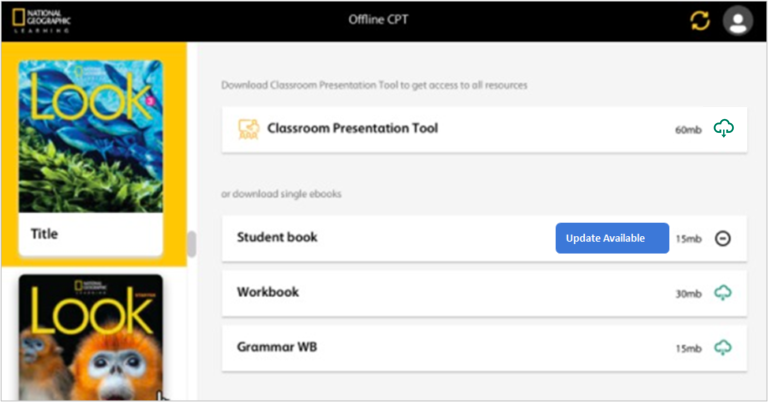
Before downloading the latest version of the CPT software or eBook, first remove the version you are currently using.
Click
 .
.
Uninstall the CPT desktop application from your computer.
The process to uninstall the CPT depends on your operating system (Mac, Windows, or Linux). Please refer to your operating system's support site for uninstallation steps.
Go back to your browser and sign in to Spark.
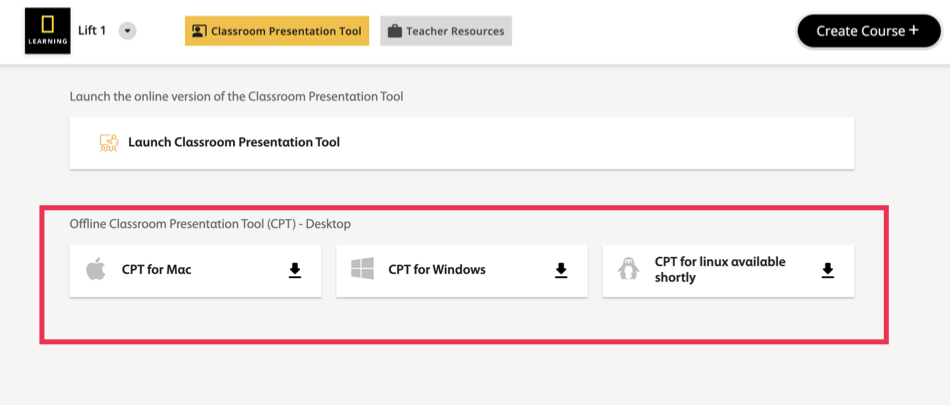
From the Offline Classroom Presentation Tool (CPT) - Desktop options, click the one that corresponds to your operating system (Mac, Windows, or Linux).
Click the downloaded Offline CPT file.
Sign in to the application.
Select the course you want from the left-side menu.
Click
 on the content you want to download.