

Spark Instructor Help
For detailed insights into your students' overall progress, see Student Performance.
Click the Assignments tab in Spark.
Scroll to the assignment you want and click
 .
.Scroll to the student you want and click
 .
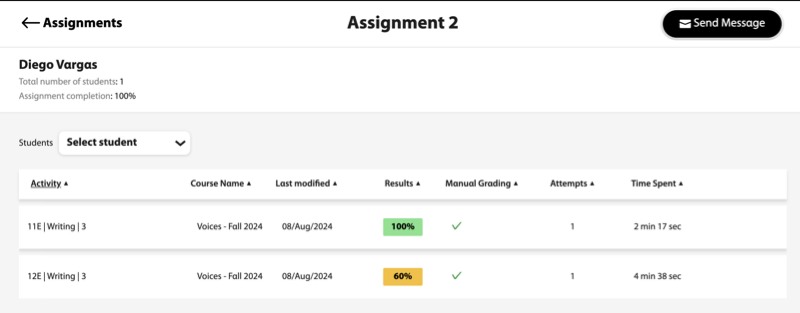
.The page will display the selected student's scores on all the activities within that assignment.
Optional To see the student's answers on an activity, hover over the activity and click
 .
.Optional To view the scores for a different student on that assignment, click Select student.
In the Search by name field, type the first few letters of the student's name. The student's name displays.
Click the student's name.