

Spark Instructor Help
For detailed insights into your students' overall progress, see Student Performance.
Click the Courses tab in Spark.
Scroll to the course you want and click
 .
. Click Gradebook.
Click Class Performance.
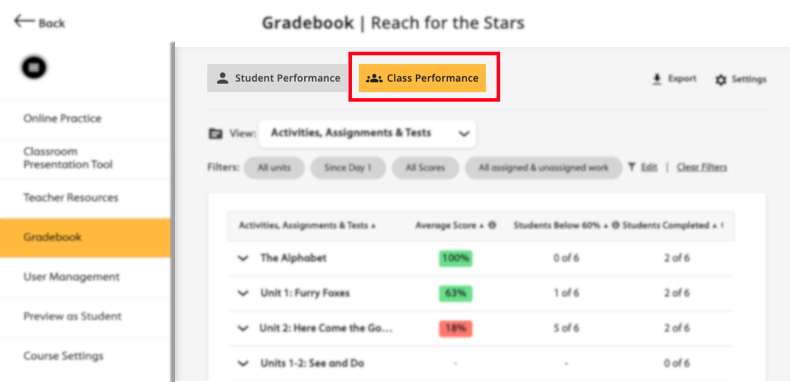
Click
 .
.Under Assigned Work, select Show tests only.
Click Apply.
Scroll to the test you want and click the test's name.
To view an individual student's score, click the student's name.
To see the student's answers, click
 .
.