
MyAdaMath Teacher Help
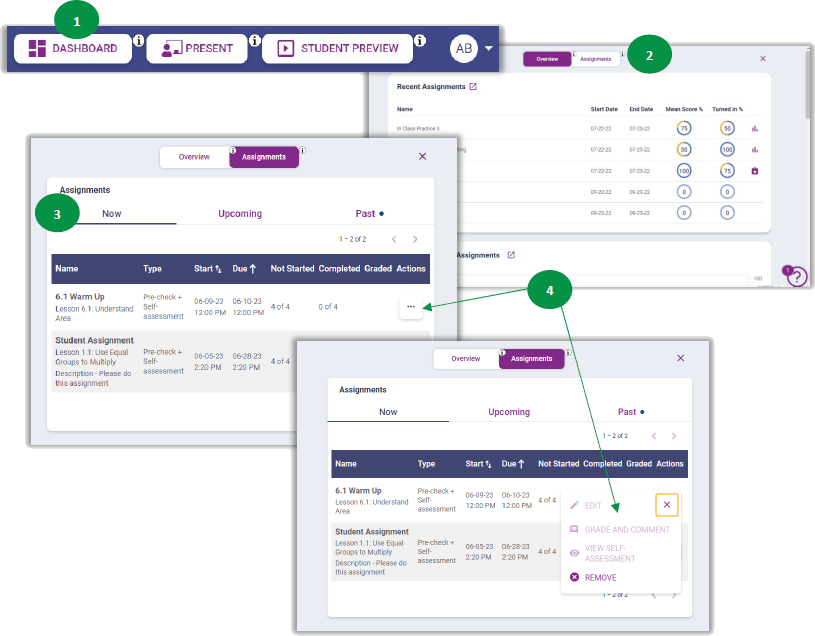
- From Plan mode, select Dashboard.
- Select Assignments. This provides access to all assignments for the class in three categories.
- Now assignments are current, active assignments. Upcoming are scheduled assignments that students cannot access yet. Past assignments are any assignments that are completed or are past the due date.
- Select the three dots on any assignment to edit or grade the assignment, as well as provide feedback to students, view student self-assessment data, or remove (delete) the assignment.