

Spark Instructor Help
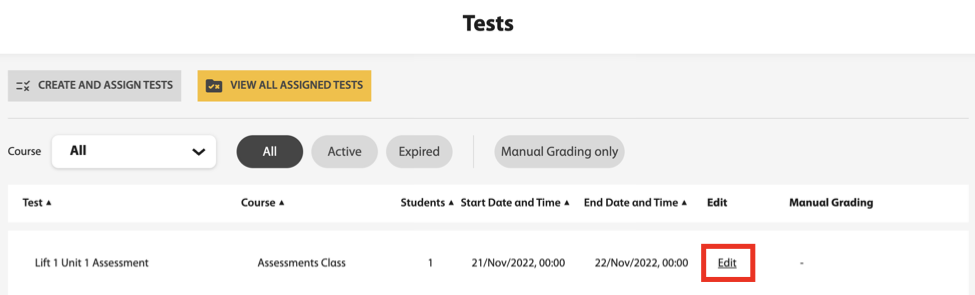
Click Tests in Spark.
Use the filters to navigate to the test you want.
Click Edit.
Click the End Date and Time field and update to the new date and time you want.
Click Continue.
You cannot edit test attempts, show correctness marks, or show correct answers.
Click Continue again.
Click Update.
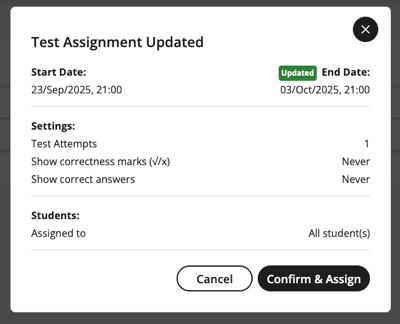
A message displays confirming the new end date and time.
Click Confirm & Assign.
Students actively taking the test will be notified of the change in Spark.