
SAM In MindTap Instructor Help
MindTap Versions
Your course will be different depending on which version of MindTap your product uses. If these descriptions do not match what you see in MindTap, use the version selector above.
Instructor Assistant Dashboard
The Instructor Assistant dashboard analyzes your course to identify trends, track progress, and highlight students who may need additional help.
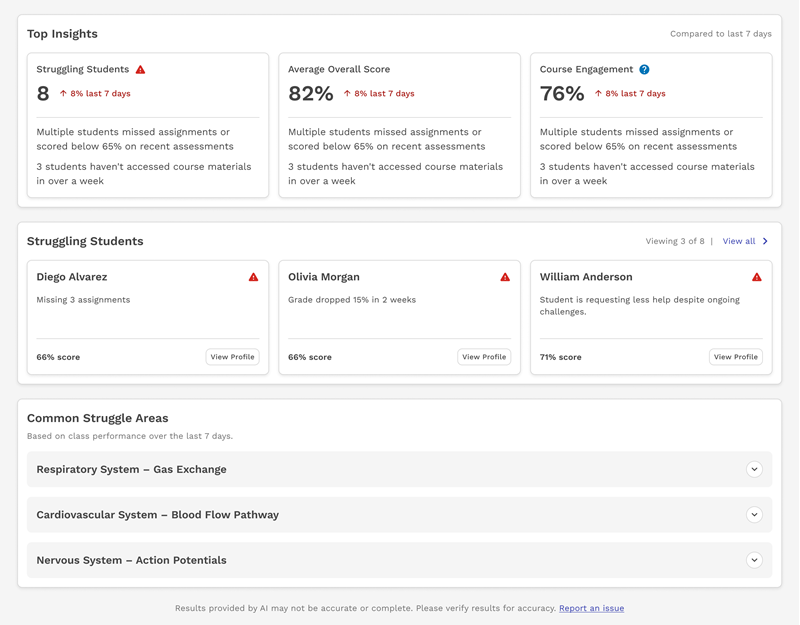
Click Instructor Assistant to launch the dashboard in a new tab.
In the updated look, the Instructor Assistant Dashboard is shown when you launch your course. You can return by clicking  Dashboard in the menu on the left.

Learning Path
View, assign, and edit learning activities.

MindTap Toolbar
Access the eBook, view the glossary, and view your grades with built-in applications. These applications vary depending on what textbook and course you are in.

Gradebook
Click  in the toolbar to view grades for your course.