MindTap Instructor Help
- System Requirements
February 11, 2026
Instructors can now quickly convert activities to practice or graded from the learning path.
December 2025
Recent MindTap enhancements include improvements to assignment creation, customization, and grading.
Assignment Creation
Assignment creation has been streamlined so that building and customizing assessments is simpler and less time-consuming. You can now:
- Customize settings for one activity without altering or creating a new settings template. Settings templates are also simpler to use, with less common options collapsed under Advanced Settings.
- Quickly edit activity content without creating a new version of the activity. The Question Bank is now easier to search, so you can easily find content to add to your activities.
- Copy an existing activity from the learning path
- Convert graded activities to practice from the learning path
- See the student experience of your activities by clicking View as Student at the top of activity previews
Gradebook
An improved gradebook interface provides clearer visibility into student performance. Detailed assessment reports enable quicker feedback and intervention for students.
If the Student Assistant is enabled for your course, you can view usage reports and students' chat logs in the Student Assistant Reports tab.
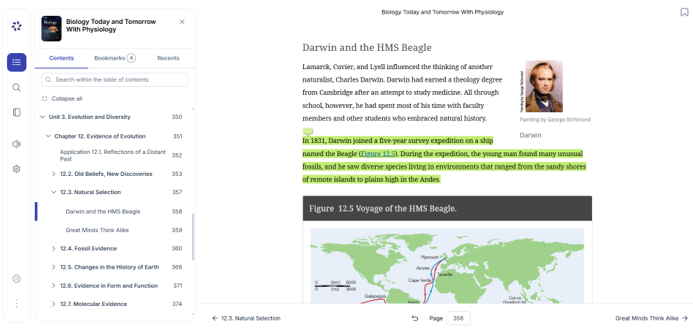
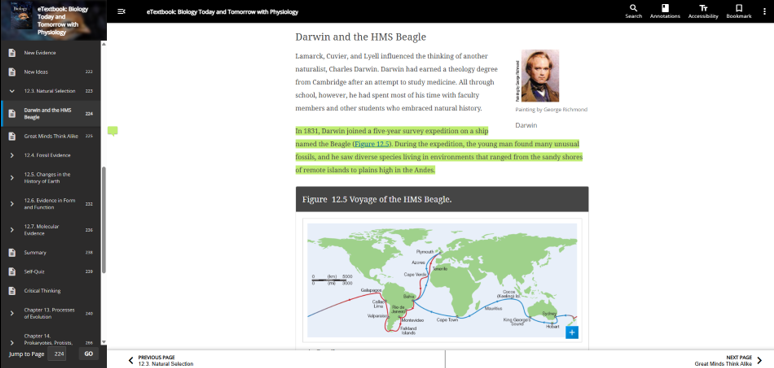
September 30: Cengage eReader Redesign
The redesigned Cengage eReader, coming September 30, delivers a modern, responsive, and accessible reading experience across all devices. This update introduces performance enhancements, improved usability, and expanded accessibility features to support learning anytime, anywhere.
eReader Updates
With this update, readers can:
- Access their bookmarks and recently visited pages from the table of contents
- Change text font and size
- Print notes and highlights
- Customize the Read Aloud voice and speed